Orchard Record Keeping
Built for the Field
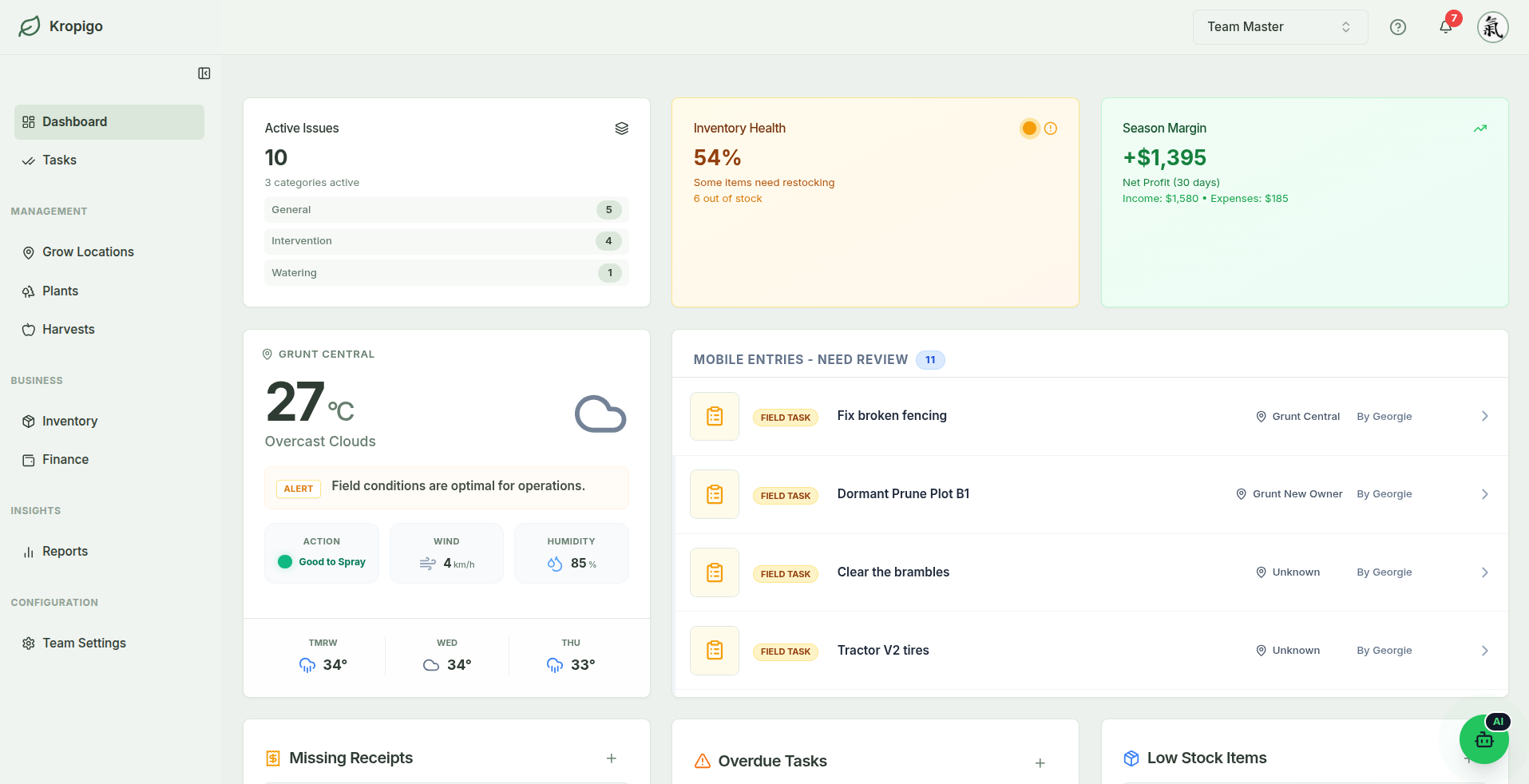
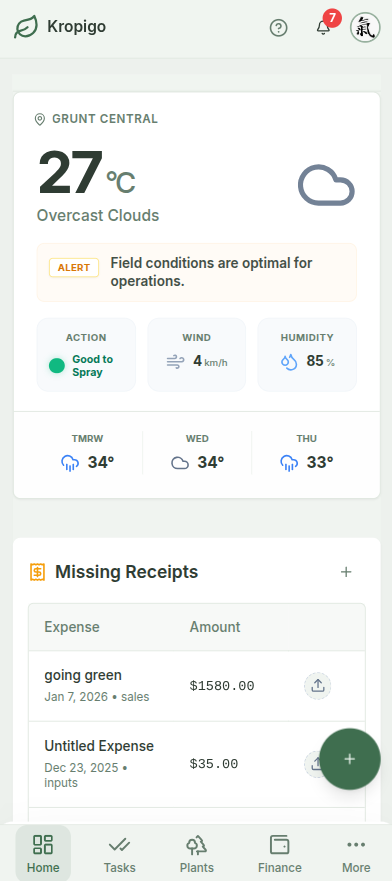
Orchard software you can actually use in the rows: replace lost pocket notebooks, broken spreadsheet formulas, and end-of-season data entry panic. Log field tasks, bin counts by block, and what you spent with the receipt attached — from your phone or your desk.
No credit card required · Instant 14-day access · Protects entries during signal drops
Why Traditional Orchard Record Keeping Fails
The Faded Pocket Notebook
Pruning hours, tractor fuel, and spray rates written on muddy paper in the field rarely make it into an organised filing system. When tax season arrives, numbers are guessed from memory.
The Multi-User Spreadsheet Conflict
A spreadsheet on a phone in a patchy block is one wrong tap away from overwriting the cell next door — and when two of the crew save at the same time, one of them loses the afternoon's tally.
Software Built for Mega-Farms
Complex systems built for 10,000-acre corporate conglomerates demand weeks of consultant onboarding, endless configuration menus, and subscription contracts costing thousands of dollars a year.
Record Keeping That Actually Works in the Rows
Built for 15 to 100 acre fruit growers who need the record kept without losing an evening to paperwork.
A Signal Drop Won't Cost You the Entry
Coverage in the back blocks is patchy. If your signal drops while you are logging a task, harvest, or receipt, Kropigo queues it on your device and sends it automatically the moment you reconnect. Open the app before you head out of range — it needs a connection to start up.
- In-progress entries queue on your device
- Background sync on reconnection
Permanent Block & Row Structure
Map your orchard into structured blocks with rootstocks, planting years, and tree counts. Harvest weights and tree records attach permanently to the block they came off, so a planting's history survives every season.
- Harvests attached to each block and cultivar
- Multi-season record history per block and cultivar
Crew Task Assignment & Field Logs
Assign pruning, thinning, mowing, and spraying to specific crew members. Field staff check off tasks from their mobile devices with timestamps, applicator records, and locations attached.
- Role-based permissions (Manager vs Contributor)
- A permanent record of who completed what, and when
Costs Logged While You Remember
Record what you spent and what it was for. Each expense carries its supplier, date, category and receipt photo, and labour and machinery entries also carry the grow location — so at season's end the year is sitting in one place instead of a glovebox.
- Snap photos of receipts from your phone
- Categories for inputs, labour, machinery, infrastructure and overhead
Orchard Software for Every Part of the Season
Every module reads the same blocks, rows and team list, so nothing ends up in its own separate spreadsheet.
Block & Row Mapping
Structure blocks by rootstock, cultivar, spacing, planting year, and tree counts.
Task & Crew Assignment
Assign pruning, thinning, mowing, and spraying with timestamps and locations.
Harvest & Bin Logging
Log bins, lugs, and harvest weights in the rows with crew leader timestamps.
Expense & Input Tracking
Log costs with a category, supplier and receipt photo for inputs, labour, machinery and overhead.
Inventory & Equipment
Track consumables with thresholds and expiry, and equipment with condition and repair logs.
Practical Record Keeping Guide
Read our in-depth grower guide on structuring multi-season orchard records without paperwork bottlenecks.
One Day in Block 3A
A pruning job, the fruit that came off the same block in March, and the fertiliser invoice that paid for it. These are the actual fields, with the values a grower would type.
Task
Assigned in January, closed in January
- Type
- Intervention
- Title
- Summer prune — Block 3A, rows 4–9
- Assigned to
- Hemi Walker
- Due
- 14 Jan
- Priority
- Normal
- Hours
- 6 est. / 7.5 actual
- Status
- Done
- Attached
- 2 photos, 1 voice note
Harvest entry
Logged in the row, on a phone
- Date
- 12 Mar
- Block
- Block 3A, Row 5
- Cultivar
- Gala
- Quantity
- 1,850 kg
- Bins
- 5
- Quality
- Premium / Grade A
- Storage
- Coolstore 2
- Picked by
- Crew B, led by Hemi Walker
Expense
Snapped at the counter
- Category
- Inputs
- Supplier
- Southern Ag Supplies
- Date
- 3 Sep
- Amount
- $1,284.50
- Payment
- PAID
- Receipt
- Photo attached
- Grow location
- — not carried
Illustrative values. Note the last line of the expense: labour, machinery and income entries carry a grow location, while inputs, infrastructure and overhead do not — so a fertiliser invoice records what it was, who sold it and what it cost, but not which block it went on. Attribution to an individual block is on the roadmap.
Spreadsheets vs Enterprise Software vs Kropigo
| Capability | Excel / Google Sheets | Enterprise Ag Software ($3k+/yr) | Kropigo |
|---|---|---|---|
| Mobile Field Logging | Clunky, easy to overwrite | Complex, multi-step menus | Fast field entry |
| Signal Drop Protection | Vulnerable to lost changes | Varies, frequent timeout errors | Auto-queue & sync on reconnect |
| Multi-Crew Permissions | None (shared file hazard) | Complex user licensing | Role-based, from Essentials up |
| Setup & Learning Curve | Familiar formulas | Weeks of consultant setup | Self-guided, no consultant |
| Receipt Photo Storage | Impossible inside cells | Supported | Direct mobile camera snap |
Frequently Asked Questions
Can I import my existing tree inventory from a spreadsheet?
Yes. Once you have set up your blocks and rows, you can upload an Excel file (.xlsx or .xls) of your trees — variety, rootstock, planting date, tree number, and the block and row each one sits in — and Kropigo will create the records in bulk. Download the template from Settings so the column headers match.
What happens if I lose internet connection while logging in the field?
Kropigo works best with a signal. If you lose it partway through logging a task, harvest, or expense, the entry is held on your device and syncs automatically once you reconnect — you will not lose the capture. Kropigo is a web app, so it does need a connection to load in the first place: open it before you drive out to a block with no coverage. It is not built for a full day offline.
Can my field workers use the app without seeing farm finances?
Yes. Team members with the Contributor role can view and check off assigned tasks and log harvest weights, but cannot access financial ledgers, purchase invoices, or subscription billing settings.
Can I export my records to Excel or CSV?
Yes. On Pro and Master plans, you can export your task history, harvest logs, and expense records cleanly to CSV or Excel (.xlsx) files anytime for your accountant, tax filings, or offline backups.
Does Kropigo include a spray compliance diary?
Not as a dedicated built-in module yet. For compliance records, we provide a free downloadable spray diary template with automatic pre-harvest (PHI) and re-entry (REI) calculations. In Kropigo, you can assign spray tasks to your crew and track chemical stock batches, SDS links, and expiry dates.
Start Keeping Accurate Orchard Records Today
Join commercial apple, pear, cherry, and stone fruit growers managing their operations with confidence. Zero setup fees, cancel anytime.