Orchard Block Management
From Rootstock to Row
Structure your orchard into defined blocks, rows, and planting years. Maintain permanent tree records with rootstock, cultivar, and spacing — with the tasks you assign and the fruit you pick attached to the same blocks.
14-day free access · Bulk tree import from Excel · Metric or imperial units
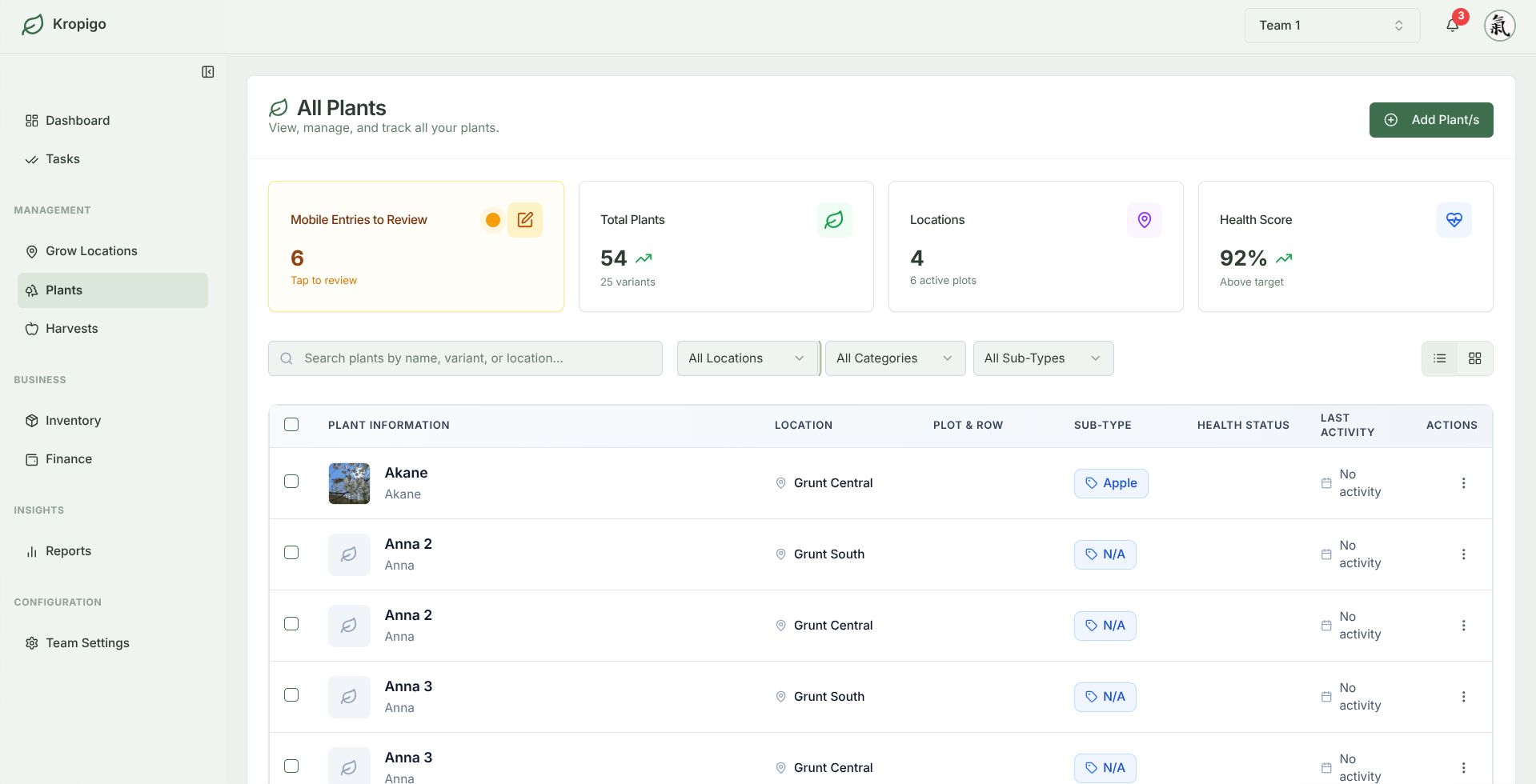
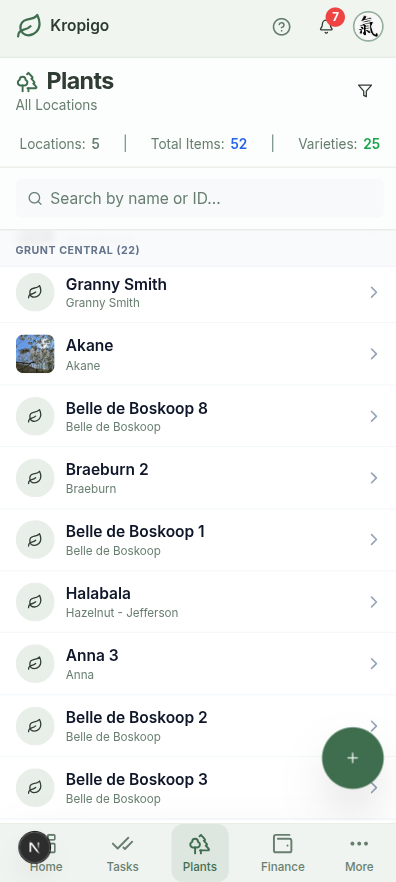
Get the Block Structure Right Once
You peg out a block once and live with it for thirty years. A vegetable grower can change their mind next season; the rows you plant this winter are the rows your crew will still be working in 2056.
Which rootstock went in where usually lives in one person's head, and it walks out the gate with them. Kropigo keeps the structure written down — orchard, block, row, tree count — and every task you assign and every bin you pick hangs off it.
Block Hierarchy
Orchard → Block → Row → Tree Count. Group plots by topography, irrigation zone, or planting date.
Pomological Records
Track rootstock (e.g. M9, G41, Gisela 6), scion cultivar, pollination compatibility, and tree density per acre.
Everything Lands on the Block
Every pruning task and bin tally attaches to its specific block as you log it. Spend is logged separately, with the receipt photo on the entry.
Map It Once, Then Stop Redrawing It
Whether you are on dwarfing rootstock at 3 m spacing or old freestanding standards, the structure underneath is the same.
Tree & Cultivar Registry
Access our built-in catalogue of 23 fruit crops and over 430 cultivars, with pollination groups, blooming and harvest seasons, disease resistance notes, and typical uses already filled in.
- Built-in pomological database
- Custom variety & rootstock entry support
Row & Spacing Geometry
Record in-row tree spacing and alley row width per block, and let the free planner work out tree density and counts per hectare or acre before you commit to a layout.
- In-row and between-row spacing stored per block
- Trees tracked individually by block and row
Block-Level Yield History
Watch a block come into bearing, see the on-year and off-year swing for what it is, and find the planting that has never matched the one next to it.
- Harvest history retained per block and cultivar
- Direct link to harvest bin logs
Spend Recorded While You Remember
A block is a decades-long investment, and the money that went into it usually ends up scattered across invoices nobody can match to anything. Log the spend as you go — category, supplier, date, receipt photo — and labour and machinery entries carry the grow location too. Attribution down to an individual block is on the roadmap.
- Every expense carries a category, supplier and date
- Model establishment economics in the free planner
Planning a New Planting or Renovating a Block?
Use our free web calculators to model commercial spacings, estimate establishment tree costs, verify pollination bloom compatibility, and map multi-crop layouts before buying rootstock.
Paper Farm Maps vs Generic Spreadsheets vs Kropigo
| Capability | Paper Farm Maps | Generic Spreadsheets | Kropigo |
|---|---|---|---|
| Block & Row Structure | Drawn once, quickly outdated | Flat tabs with manual lookup formulas | Permanent Block → Row hierarchy |
| Built-In Cultivar Database | None | Manual text entry, prone to typos | 23 crops & 430+ cultivars with pomology traits |
| Connected Operations | Completely disconnected | Fragile cross-sheet formulas | Tasks, costs & harvests anchor directly to blocks |
| Multi-Season History | Lost when paper is replaced | Separate files & tab sprawl | Multi-decade history preserved per plot |
| Tree Spacing & Density | Manual ruler calculations | Formulas break on replants | Integrated with commercial orchard planners |
Frequently Asked Questions
Can I bulk upload my existing tree inventory?
Partly. You set up the blocks and rows first — that structure is quick to define and only done once. Then you can bulk-import the trees themselves from an Excel file (.xlsx or .xls): variety, rootstock, planting date, tree number, and the block and row each tree belongs to. Download the template from Settings so the column headers match.
Does Kropigo support both Metric and Imperial units?
Yes, but the choice sits on the record rather than in a global setting. A block's area is stored with its own unit — square metres, square feet, acres or hectares — and a harvest entry carries its own quantity unit, so a metric grower and an imperial one both work in the units they think in. There is no single farm-wide metric/imperial switch.
How many blocks can I set up?
It depends on the plan: 1 block on Hobbyist, 3 on Essentials, 10 on Pro and 50 on Master. Tree records carry their own separate ceiling — 100, 1,000, 5,000 and 20,000 on the same four plans — while rows inside a block are not limited. Most growers running 15 to 100 acres land on Pro. You can move up a plan whenever you plant more.
What if a block has multiple varieties interplanted for pollination?
You can specify interplanted polliniser rows (e.g. 4 rows of Gala with 1 row of Granny Smith or Crabapple) with individual tree counts and cultivar tags per row.
Before you switch anything
The rest of the orchard record
Every module hangs off the same blocks and rows, so the records line up instead of living in separate files.
Orchard Record Keeping
The whole picture — tasks, harvests, costs and block history kept as one connected record instead of five separate files.
Orchard Task Management
Assign pruning, thinning, mowing and spraying to a crew, and get the work logged back from a phone in the rows.
Orchard Harvest Tracking
Log bins, lugs and weights at the row end, with running yield totals by block and variety as the pick goes on.
Orchard Inventory Management
Keep stock counts, expiry dates and equipment locations honest, with low-stock alerts before a spray window opens.
Orchard Expense Tracking
Log input, labour and machinery costs with the supplier, the category and a photo of the receipt, taken in the field.
Build a Lasting Record of Your Orchard
Organise your tree blocks, track rootstocks, and anchor your field operations.