Stop chasing tasks across spreadsheets and WhatsApp.
Kropigo pairs a rugged mobile app built for the field with a clean desktop dashboard built for the desk. Together, they keep your office work and field work perfectly connected.
New here? Start with orchard record keeping — how the modules below add up to one record for the whole property.
Field Operations
Where the day-to-day work happens — what needs doing, what's coming off the trees, and what's actually planted where.
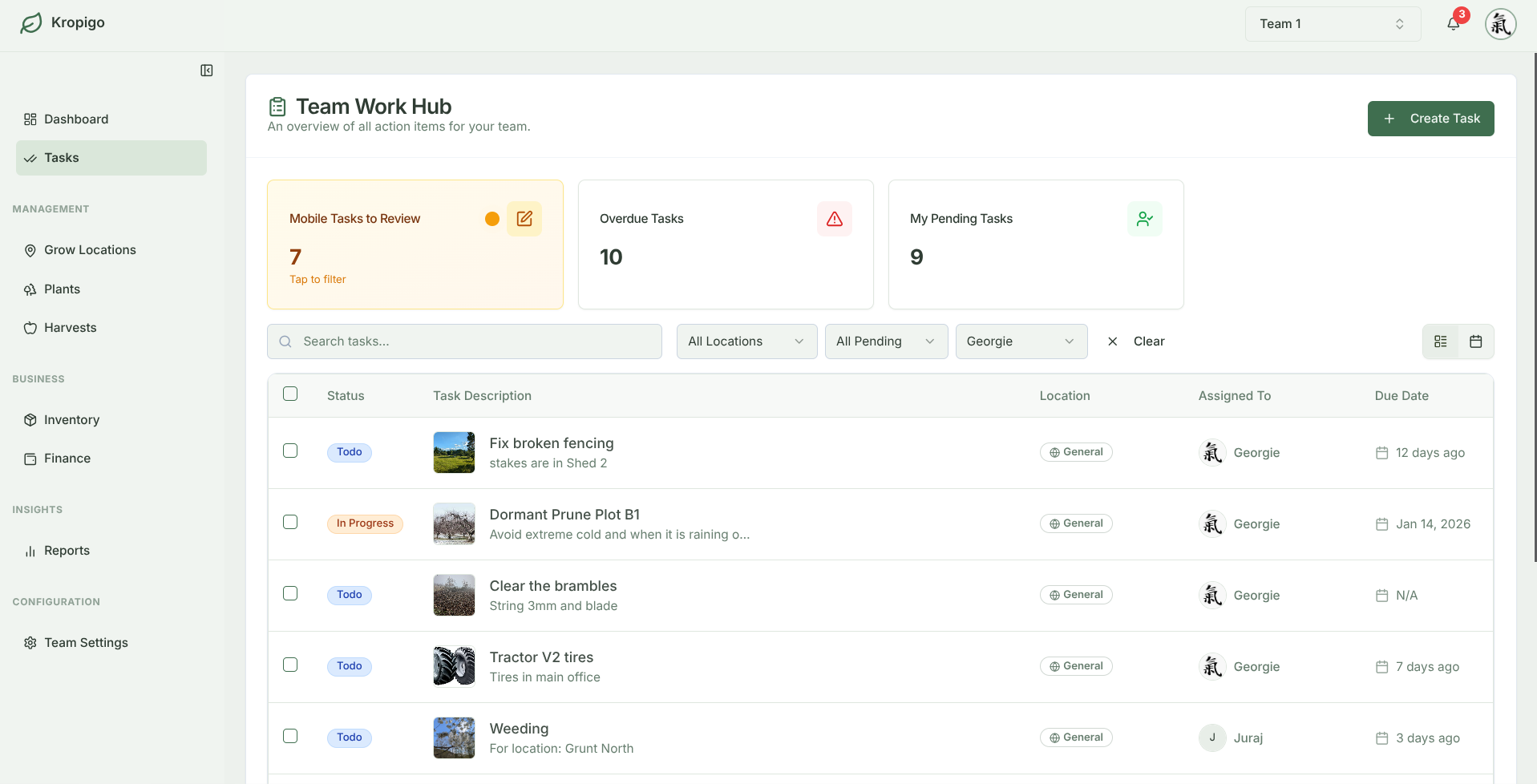
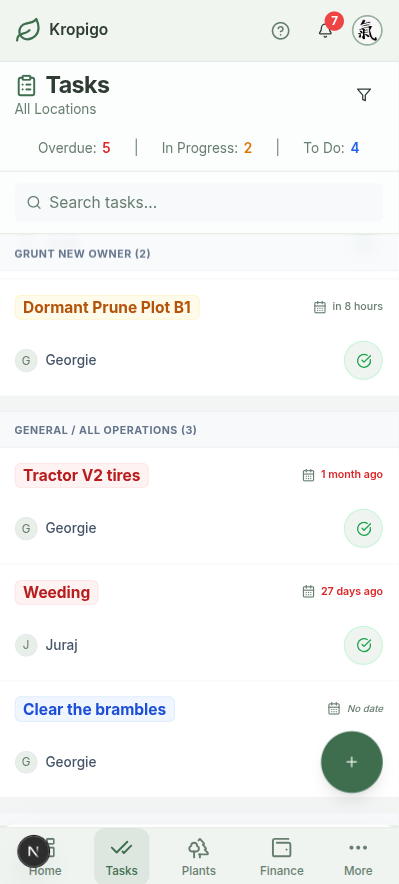
Tasks: Crew Coordination
Ditch the whiteboard and texting loops.
Assign jobs to your team and see their progress in real-time. Make sure pruning, spraying, and maintenance get done on schedule without needing constant phone calls.
- Mobile Crew Assignments: Workers see their assigned rows on their phones. They tap to start and mark jobs as done when finished.
- Hands-Free Voice: Crew members can use their voice to record notes or report a broken hose directly into the app while hands are busy.
- Desktop Dispatching: Create jobs and assign them to your crew from the office desk—they appear on the right phones instantly.
Farmer Insights
Designed to handle signal drops in the back rows. The crew can finish active tasks if signal is lost, and the app automatically updates your desktop when back online.
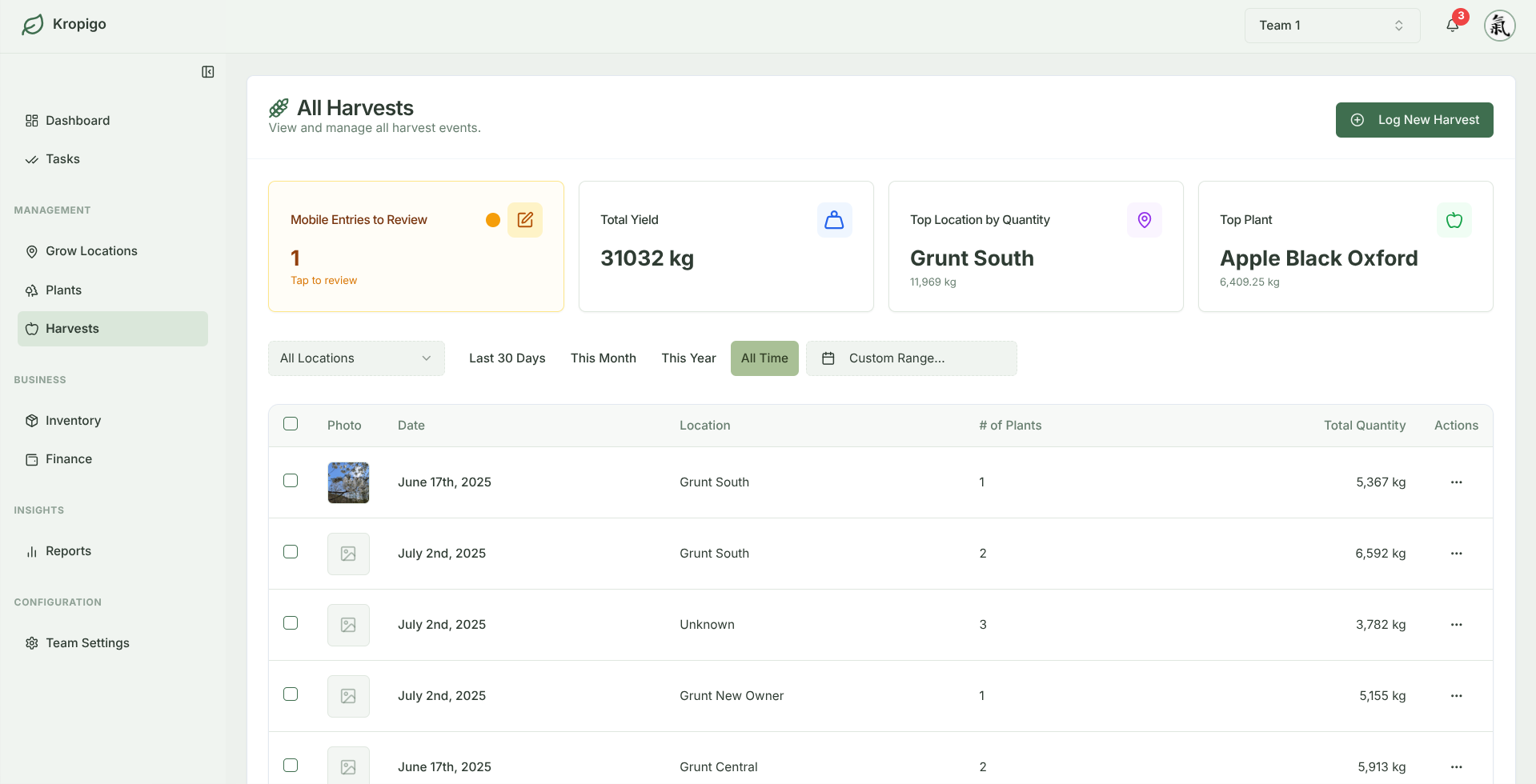
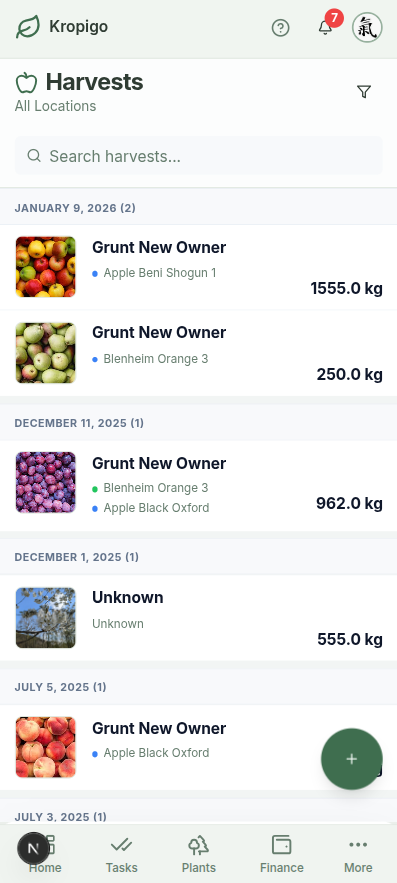
Harvests: Bin & Bucket Logger
Track yields as they are picked.
Record harvest weights and counts right at the bins. It's fast enough to keep pace with your pickers, eliminating late-night paperwork.
- Mobile Weight Entry: Large, glove-friendly buttons let your crew log weights and bin numbers in seconds on their phone or tablet.
- Desktop Verification: Review all submitted harvest runs on the desk before final validation, catching typos before they impact payroll.
- Yield Insights: Automatically compare harvest totals across different blocks to see your most productive zones.
Farmer Insights
Logging yields in the field gives you live running totals without typing numbers into Excel at the end of a long day.
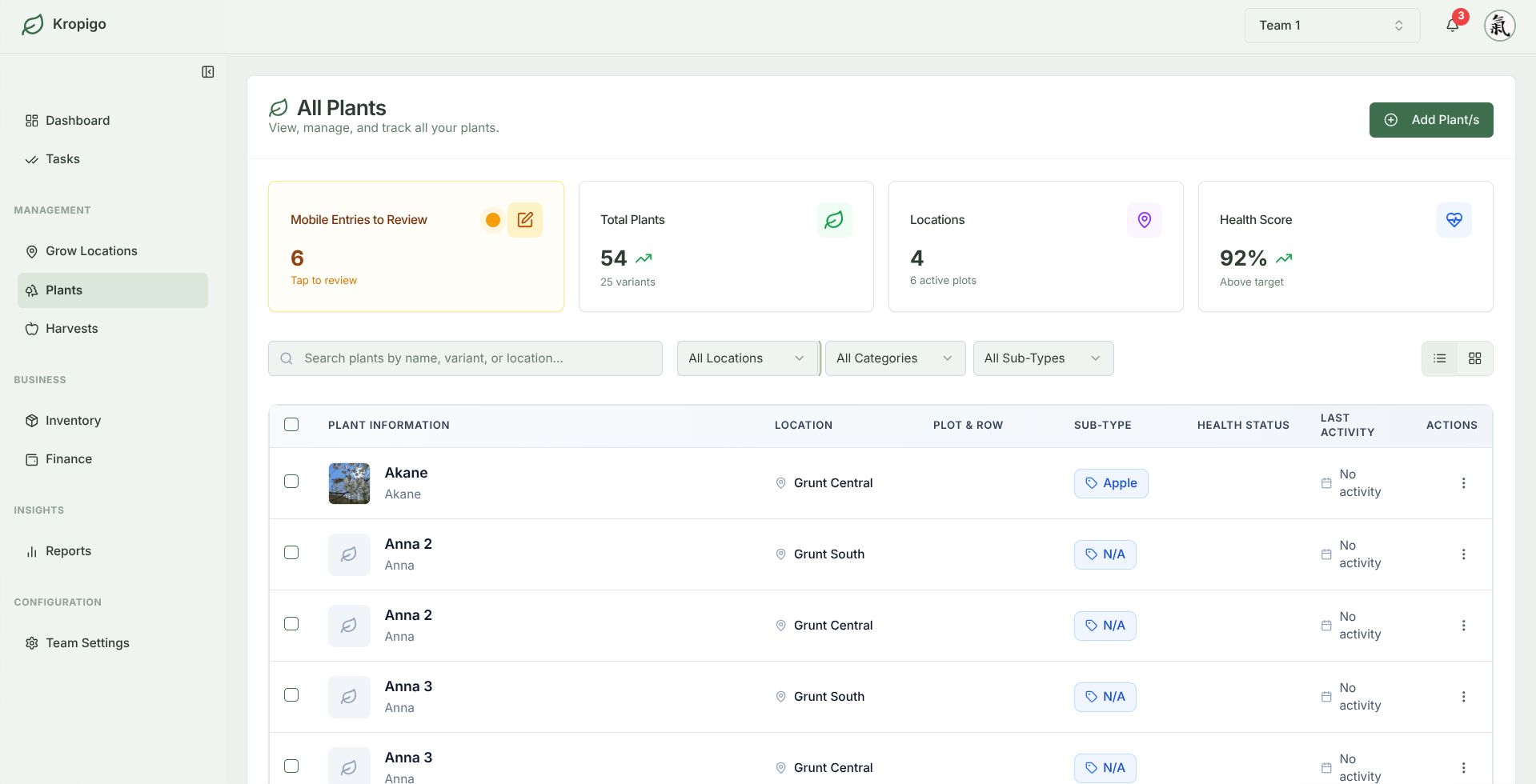
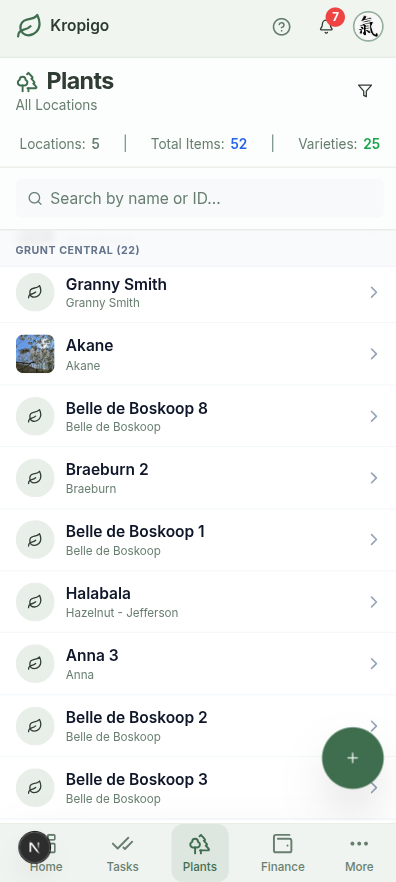
Plants: The Digital Map
Know every row, not just every acre.
Map your orchard blocks and keep a complete visual history of variety performance, tree health, and plantings from season to season.
- Mobile Photos: Walk up to a specific tree, snap a photo of a pest problem, and record its row and tree number on the spot.
- Desktop Batch Import: Set up your map from a spreadsheet—download the template, fill in your rows, and upload it from Settings.
- Detailed History: Track planting details, intervention dates, and harvest yields over time to compare production by location.
Farmer Insights
Knowing which block varieties produce the highest yields makes it easy to decide which sections of the orchard are worth expanding and which need replacing.
Back Office
Money, stock, and the people you deal with — kept as tidy as your field records.
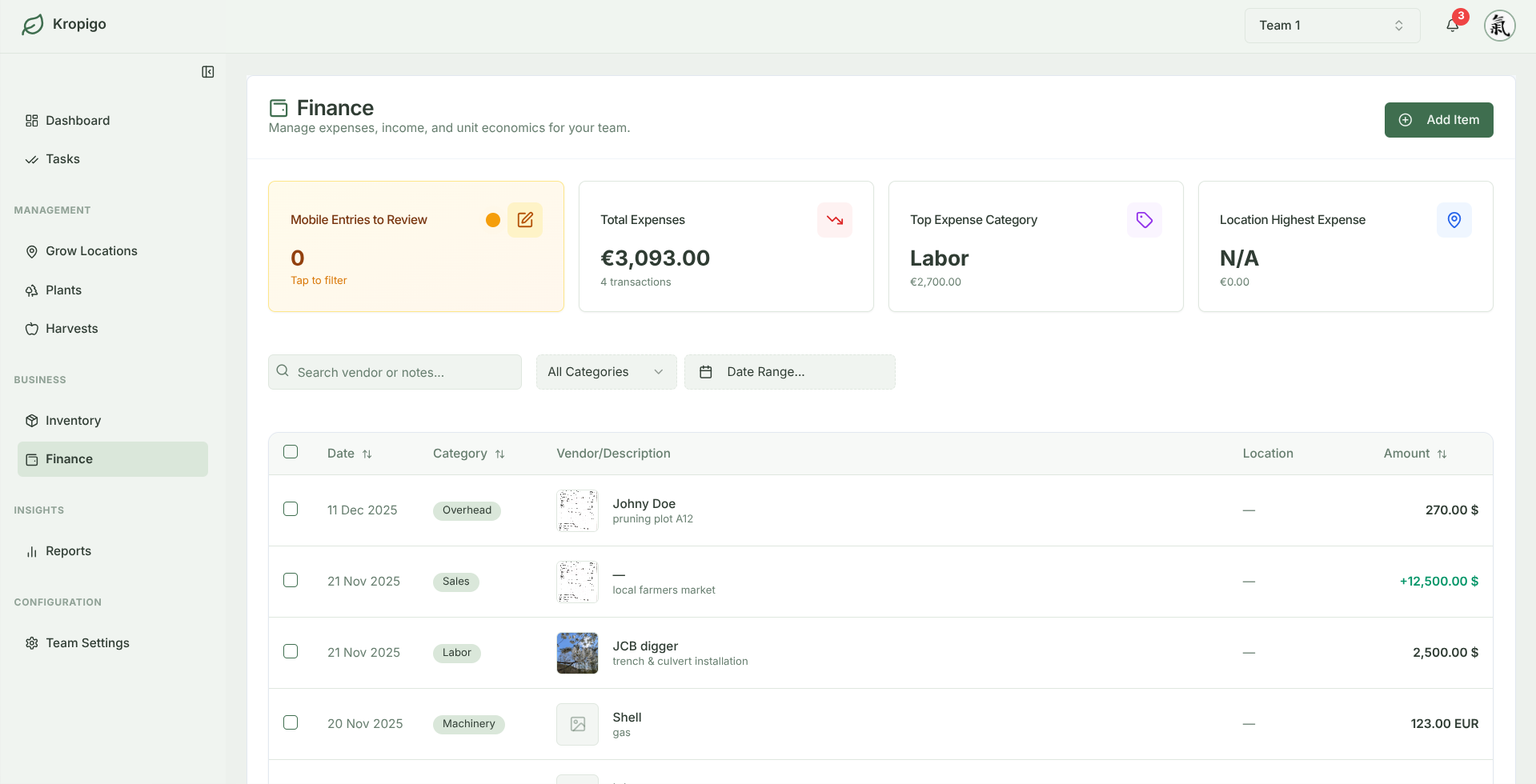
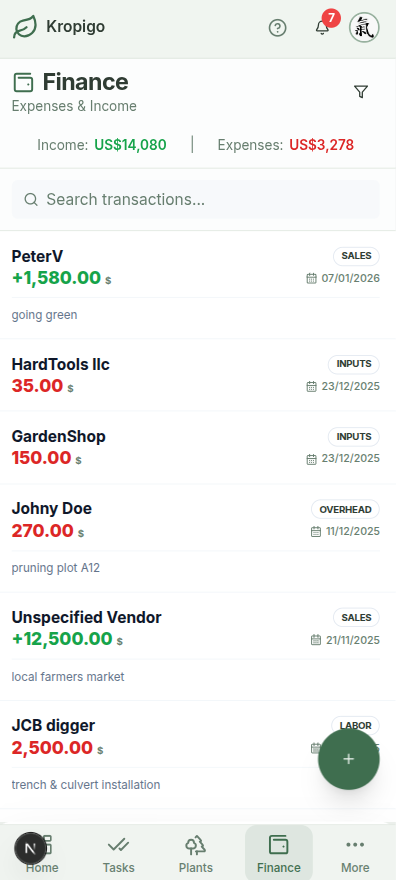
Finance: Goodbye Shoebox of Receipts
Keep your books as clean as your orchard rows.
Record farm costs and sales the moment they happen. Review spending by month and category alongside your harvest records.
- Mobile Receipt Snap: Take a photo of an invoice in your truck cab to save it securely to your account—no more lost slips.
- Desktop Bookkeeping: Review and categorize expenses, track invoices, and see your farm's cash flow on the computer.
- Connected Entries: Keep expense records and stock records in the same workspace. Update stock quantities when supplies arrive or are used.
Farmer Insights
Attach receipt photos to expense records so you can find the supporting document when reviewing your books.
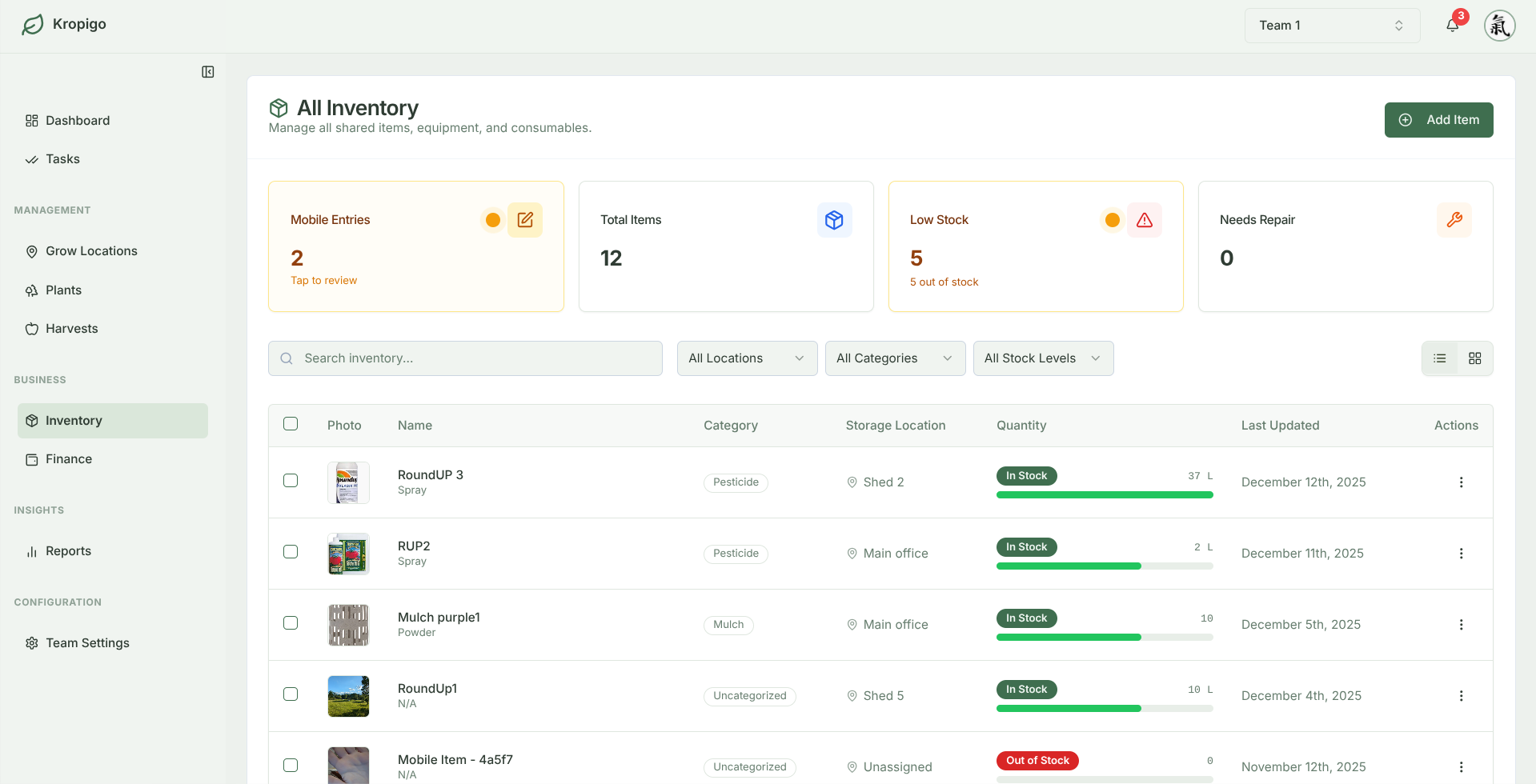
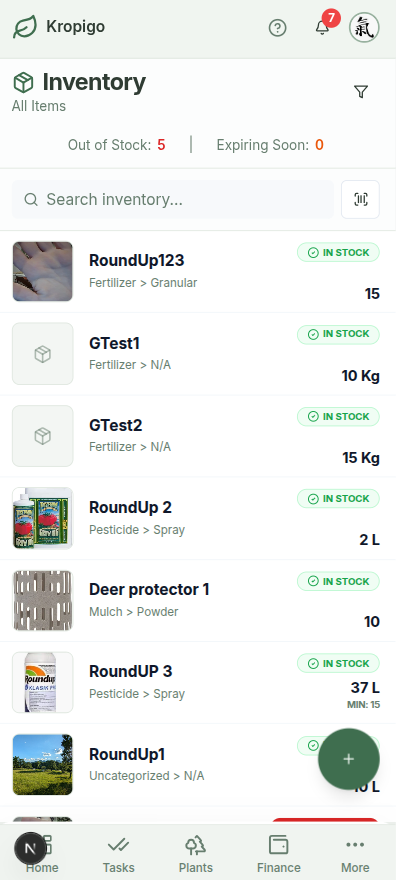
Inventory: The Digital Tool Shed
Never run out of sprays or tools again.
Keep track of your chemical shed, fertilizer totes, and tools. Know exactly what you have in stock before you schedule a job.
- Mobile Stock Updates: Adjust quantities from your phone in the shed as you use product, so stock counts stay honest.
- Desktop Reorder Alerts: Set thresholds to notify you on the computer when stock is low, so you can order before spray day.
- Gear Tracking: Keep track of which storage room or barn expensive equipment is parked in, so no one wastes time searching.
Farmer Insights
Say goodbye to wasted spray days. You'll know you have enough product on hand before the weather window opens.
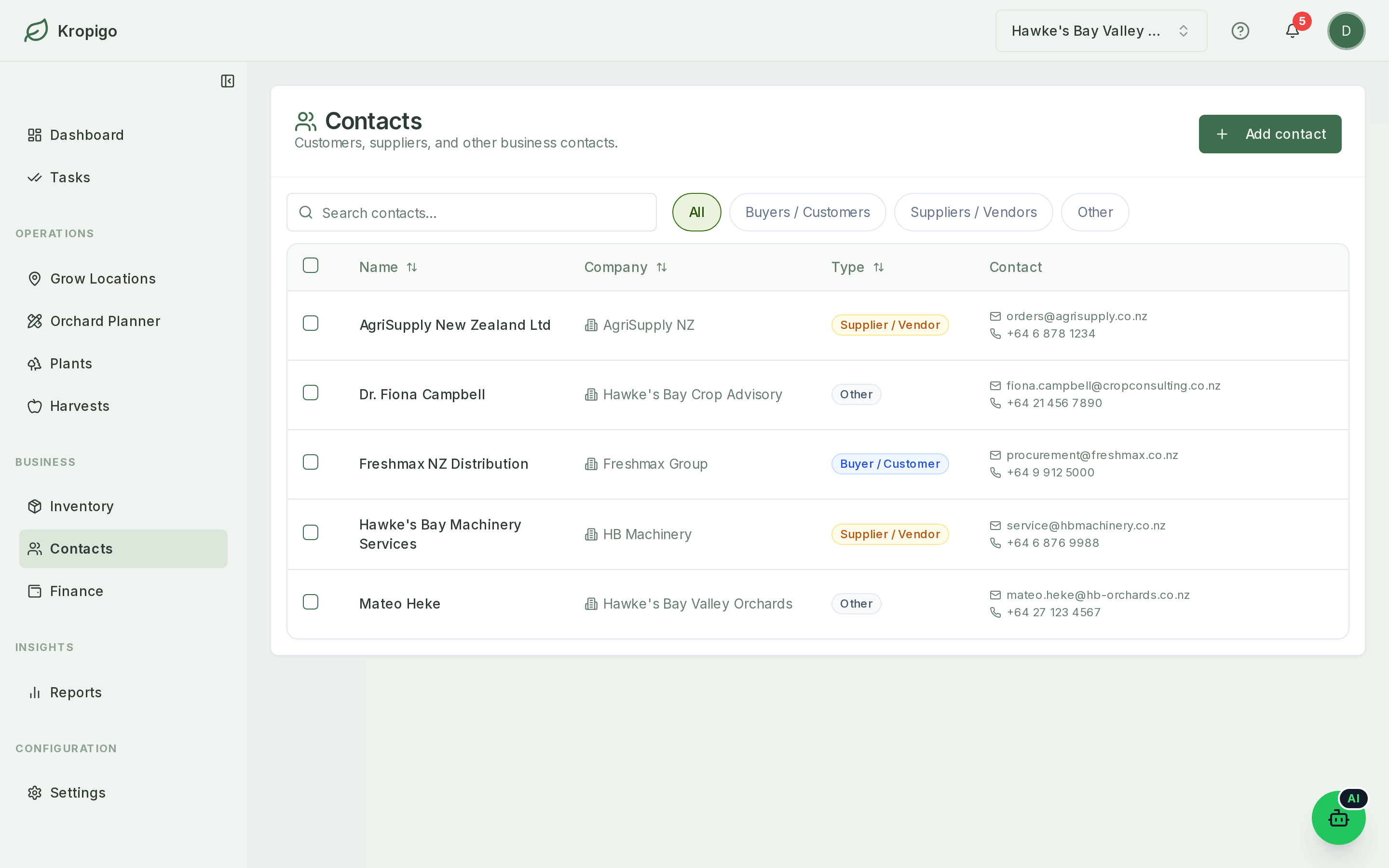
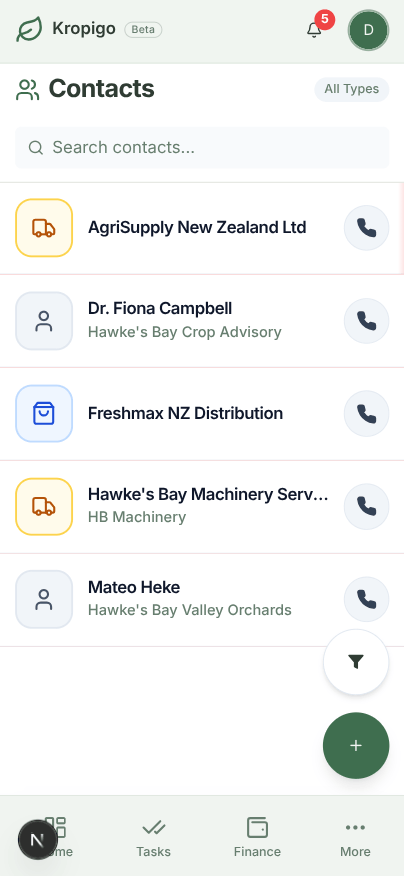
Contacts: Your Suppliers and Buyers, in One Place
The mini contact book you didn't have before.
Keep a simple record of customers, suppliers, and everyone else you deal with — company, email, phone, and notes. Add a new contact with a quick voice note instead of typing while your hands are full.
- Built for the field, too: Contacts lives on both the desktop app and the mobile app — add a supplier's number the moment you're standing in front of them.
- Every edit kept on record: A per-contact activity history shows exactly what changed and when — useful when a phone number or company name gets updated.
- Connected to Finance: When you log an expense or a sale, pick an existing contact as the vendor or buyer, or add one on the spot without leaving the form.
Farmer Insights
It's a genuinely simple contact book, not a heavyweight CRM bolted on — company, phone, email, notes, and nothing you don't need.
Planning a new orchard block?
Use our interactive Orchard Layout & Cost Calculator to map to-scale row density, tractor alley clearance, pollination compatibility, and establishment break-even budget.
Command Center
It all rolls up automatically — no separate reporting tool to maintain, and no monthly spreadsheet reconciliation.
Dashboard
Weather, today's tasks, and low-stock alerts in one glance before you start the tractor — identical on your phone and the office computer.
Reporting & Export
Clear income, expense, and yield summaries, built from the modules above automatically. Download any of it as CSV or Excel on Pro and Master.
Settings
Units, block boundaries, role permissions, and crew invites — set up once, from either the phone or the desk.